
Free warehouse inventory program
You can sign up for Ofisx's warehouse inventory program for free, without a card and use product cards, barcode stock in and out, low-stock alerts, inventory counts, customer accounts and reports with the free account; the Premium plan comes into play when your transaction volume grows and you need advanced features such as multiple barcodes, product images or employee accounts.
In inventory software, the word “free” can mean three different things: a trial that starts with a card and turns into a paid plan after 15 days, a restricted version that locks the product count at 20, and a genuinely free tier. This page spells out which one we are and exactly where the limit sits, so you don't have to find out after signing up.
How to open a free account
- Enter your email and password
These are the only two fields on the sign-up form: no card, IBAN, phone number or company details are requested. The dashboard opens the moment sign-up is complete; there is no approval to wait for.
- Upload your products
Import your Excel list or add products one by one by scanning the barcode. There is no limit on the number of products.
- Start recording movements
Goods receiving, sales, returns and stocktakes. Stock, customer accounts and reports update automatically.
What's open in the free account, and what does Premium add?
The limit is not on the product count but on a few advanced features and on transaction volume. The table shows this line by line:
| Business | Free account | Premium |
|---|---|---|
| Product count | Unlimited | Unlimited |
| Product card: price, VAT, single barcode | Yes | Yes |
| Goods receiving, sales and stocktake by barcode | Yes | Yes |
| Low-stock alerts | Yes | Yes |
| Inventory count and discrepancy report | Yes | Yes |
| Customer accounts, credit sales, collections | Yes | Yes |
| Profit, VAT and cash reports | Yes | Yes |
| Excel import and export | Yes | Yes |
| Multiple barcodes for the same product | Premium | Yes |
| Product image | Premium | Yes |
| Separate accounts for employees | Premium | Yes |
| Vehicle tracking | Premium | Yes |
| E-catalogue sharing, hiding products in the catalogue | Premium | Yes |
| Reminder alarm on a product note | Premium | Yes |
| Transaction volume | Up to a set number of transactions | Unlimited |
When the free account's transaction count runs out, you are not kicked out of the program: your records stay in place, the dashboard keeps opening and an upgrade screen is shown. You can always see your remaining transaction count in the top bar of the dashboard.
Who is the free version enough for, and who is it not?
Enough: a shop run by one or two people, a hardware store, a stationery shop or a small warehouse. Most products are tracked by the single barcode on their packaging, stocktakes are done by phone, and customer balances sit in the same place — the free account covers all of this work.
Not enough: if several people in your warehouse enter records at the same time (each employee needs their own account), if the same goods arrive from different suppliers with different barcodes, or if you share a catalogue with images with your customers. These three depend on Premium and are the first things people need as volume grows.
If you won't pay anything at all: Excel
If your budget is zero right now, the honest answer is to recommend Excel rather than a program. Our free inventory tracking template and warehouse count template require no sign-up, can be used indefinitely and teach you the logic of inventory tracking. The reorder point calculator for working out your order threshold is free too. Where Excel falls short is well known and is itemised in the comparison table on the home page: stock doesn't drop instantly when you scan a barcode, the critical level doesn't alert you on its own, and two people can't open the file at the same time. Setting up your warehouse with Excel and moving to a program once your routine has settled is a common and sensible order; when you move your product list with import, you don't have to enter it all again from scratch.
Which guide should you read first?
After opening the free account, the first job is not uploading products but setting up the system: how to track warehouse inventory explains the setup in five steps, shelf addressing system explains where each product will sit, and what is a critical stock level answers the question of “when should I place an order”. A rundown of every screen in the program is on the features page, and working by phone is covered on the mobile and web version page.
Frequently asked questions
Is the warehouse inventory program really free?
Opening a free account and starting to use it is free; no card details are requested, and no charge is made automatically when a trial ends. An email and password are enough to sign up. In the free account, product cards, barcode stock in and out, low-stock alerts, inventory counts, customer accounts and reports are all open. The plan comes into play when your transaction volume grows and you need the Premium features listed below.
Do I need a credit card to open a free account?
No. The sign-up form has only an email and a password; no card, IBAN or company details are requested. So there is no subscription to keep an eye on out of worry that “it might charge me if I forget.”
How many products can I enter in the free version?
There is no limit on the product count. What is limited in the free account is not the product count but the transaction volume and a few advanced features: multiple barcodes, product images, employee accounts, vehicle tracking and e-catalogue sharing are included in the Premium plan.
Can I work with barcodes in the free version?
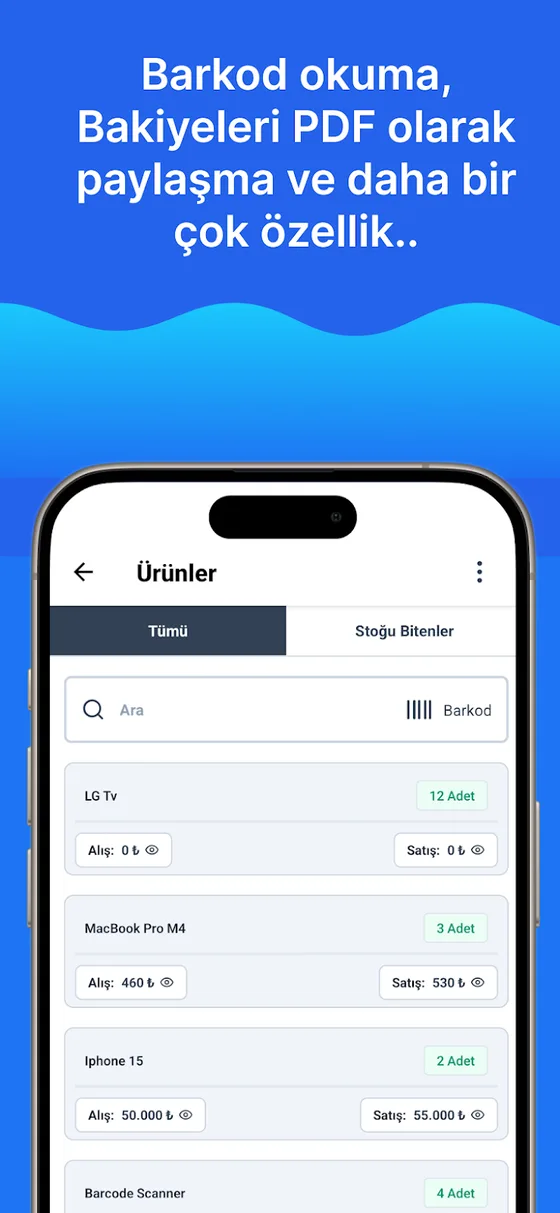
Yes. You can assign a barcode to each product and scan it during goods receiving, sales and stocktakes — all of barcode-based tracking works in the free account. The only thing tied to Premium is adding more than one barcode to the same product (supplier changes, carton barcodes, old/new packaging). The setup steps are in the how to track inventory with barcodes guide.
Can I do stocktakes in the free version?
Yes, inventory counts are open in the free account: the system quantity and the counted quantity sit side by side, and the discrepancy and the value of the loss are calculated. We explain how to set up your stocktake day in the how to do a warehouse stocktake guide.
Is there a way to track a warehouse without paying anything?
Yes, but you have to accept the limits: Excel. Our free inventory tracking and warehouse count templates don't even ask you to sign up and can be used indefinitely. You can see where Excel falls short compared with a program in the comparison table on the home page: instant stock deduction by barcode, automatic low-stock alerts and several people working at the same time are not possible in Excel.
Is my data kept when I move from the free version to Premium?
Yes. Premium is not a new account but a plan on the same account; your products, stock movements and customer records stay exactly as they are, and only the locked features are opened.
Can I use it for free in a warehouse without internet?
For warehouses with no connection there is a separate offline version; data is kept on the device and backed up with Google Drive or iCloud. Multiple users and the web dashboard are not available in that version. We compare the differences between the versions on the mobile and web version page.
Last updated: 2026-09-30
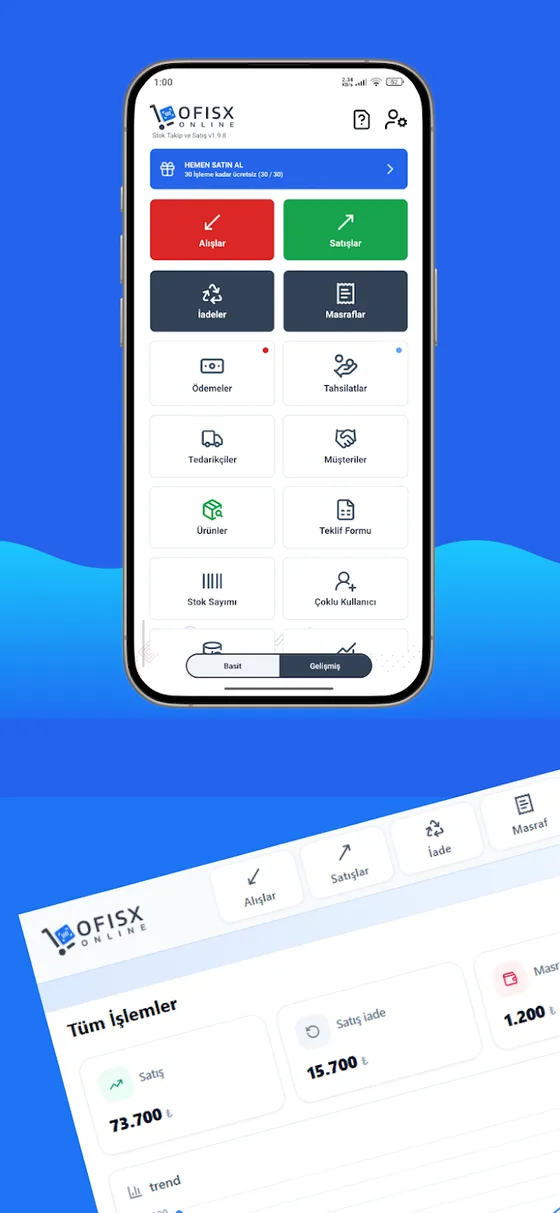
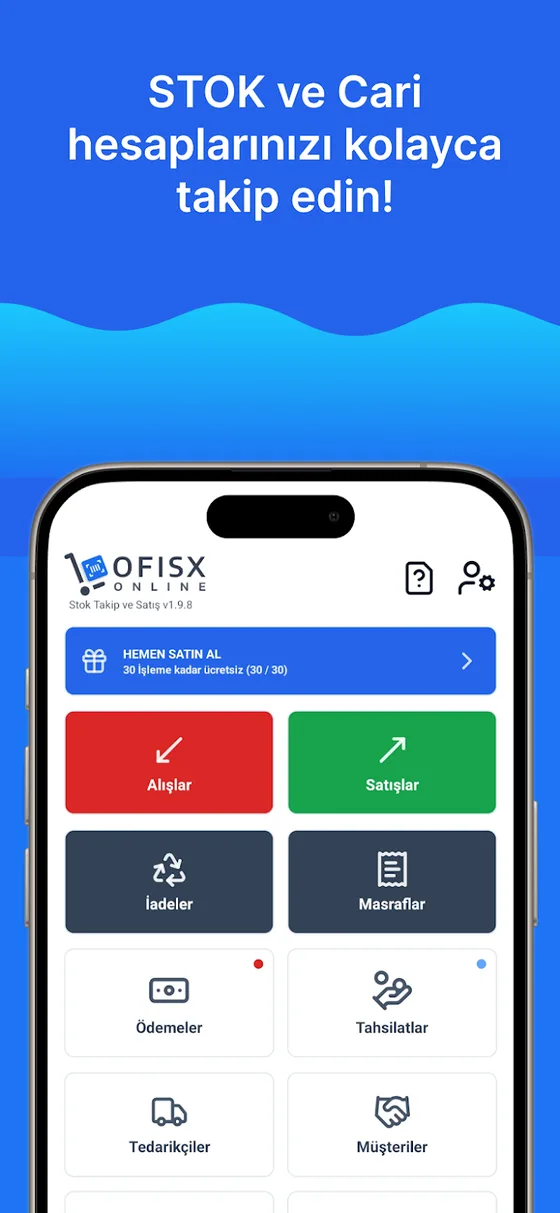
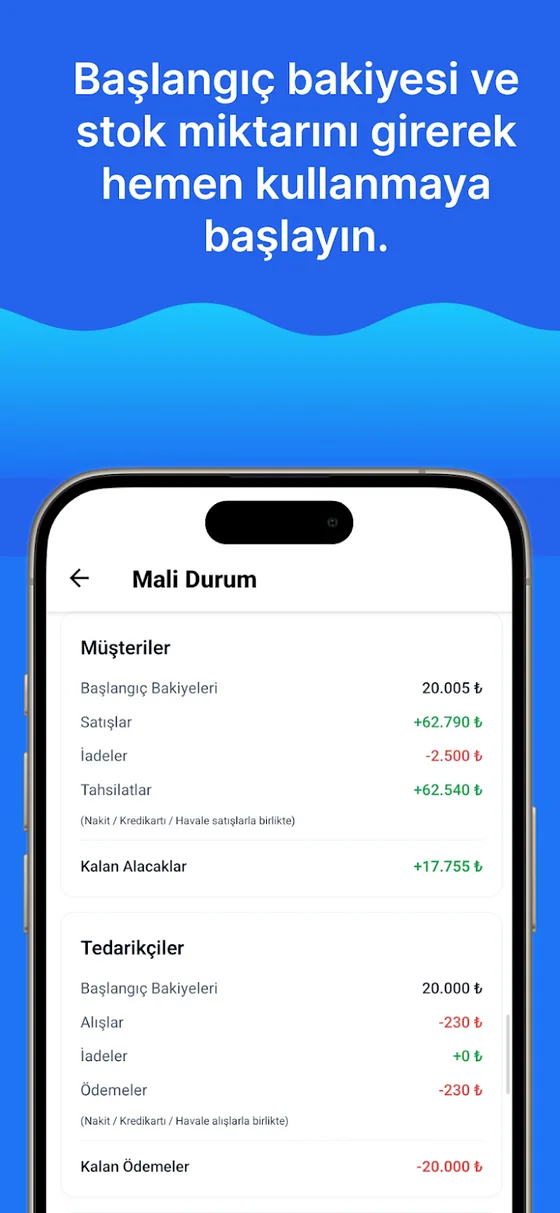
Screens you'll see in the free account
Product list, sales by barcode, financial status and reports.
Open your free account
An email and password are enough — no card is requested. Upload your products and do your first stocktake by phone.