Barcode inventory · stock counts · reports

Warehouse management software:
every product, every movement on record

How many units of each product are left, when will it run out, who owes you how much? Scan the barcode, and stock updates by itself; get notified when it hits the critical level. No accounting knowledge needed.

No installation needed Web · Android · iPhone Support in Turkish
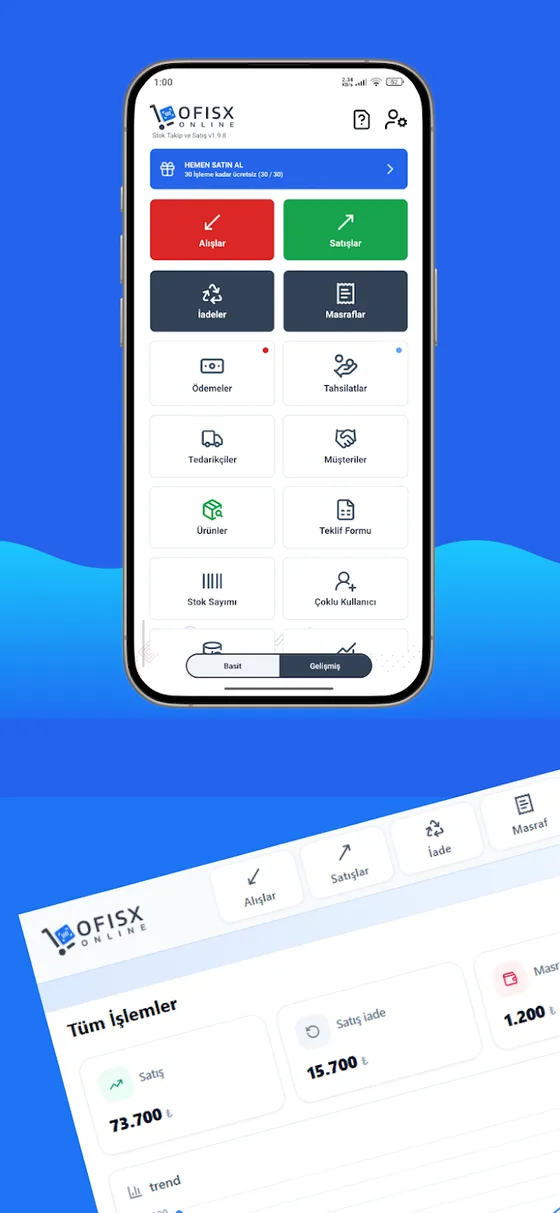
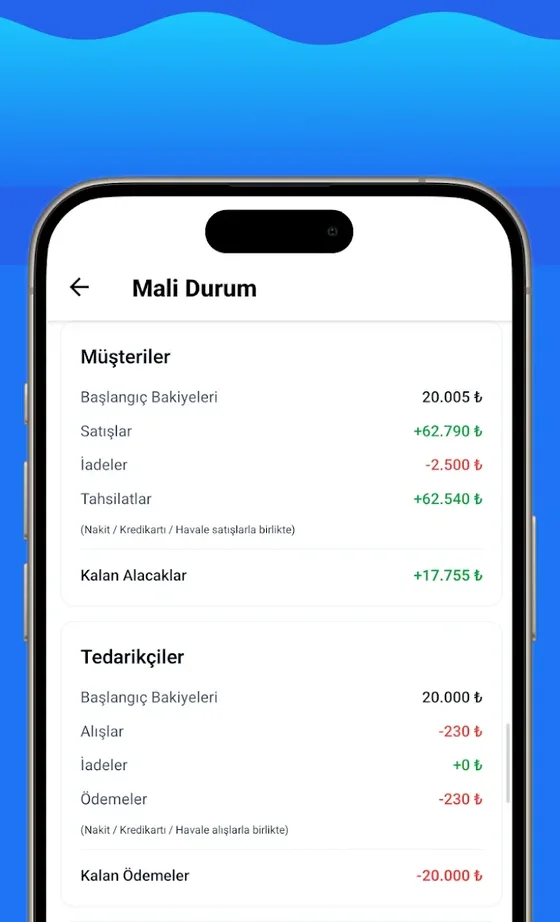
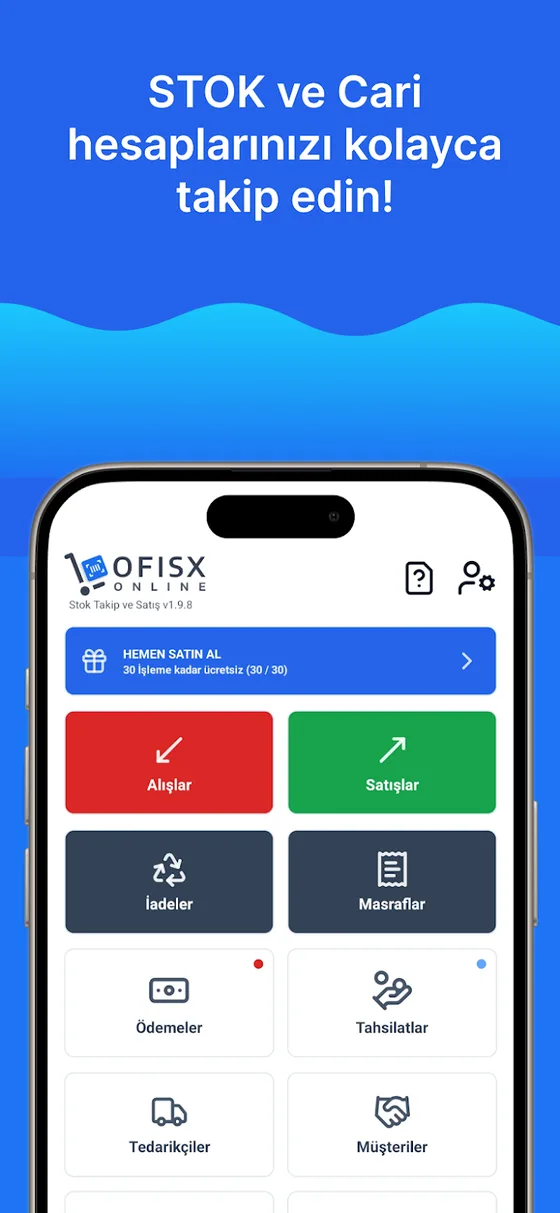
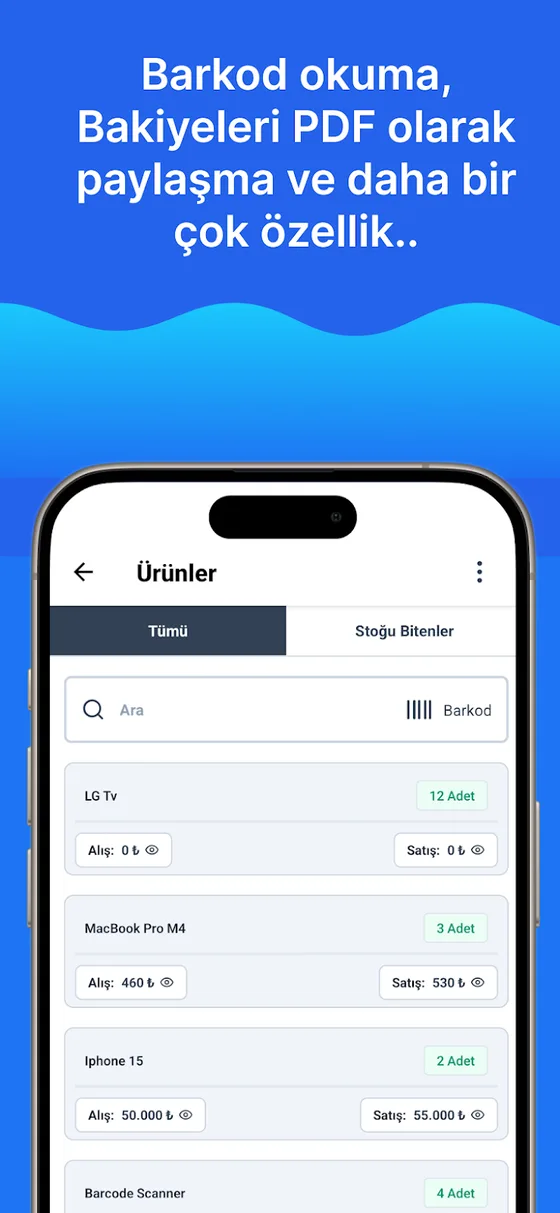
Product list and stock quantities Ofisx Inventory Management app home screen Customer and supplier balances

What is warehouse management software? Warehouse management software records the quantity of products in your warehouse and every stock-in and stock-out movement via barcode, alerts you when stock drops to a critical level, and makes inventory counts easier. With Ofisx, you do this from a web browser or the Android and iPhone apps; no installation is needed and you start for free.

For every business with a warehouse

WholesalersDistributorsSupermarketsHardware storesStationery shopsPackagingSpare partsBuilding materialsE-commerce warehouses

Two versions, same job

Use the online version if you have internet; use the offline version in warehouses without a connection. All screens are from the real app.

Ofisx Inventory Management icon

Ofisx Inventory Management

Cloud-based · web, Android and iPhone

Combines stock, customer accounts and pre-accounting in one panel. You work with the same account from phone, tablet and web; data is kept in the cloud.

  • Unlimited products; price, VAT and barcode (multiple barcodes and product images are Premium)
  • Low-stock alerts and stock counting
  • Receipt/invoice as PDF or on a 58/80 mm thermal printer
  • Customer accounts, customer credit, collections and due-date tracking
  • Profit-loss, turnover, VAT and cash reports
  • Excel import/export (multiple users and e-catalog are Premium)
Inventory & Account Ledger icon

Inventory & Account Ledger

100% offline · Android and iPhone

Requires no internet. Your data stays on your device and is backed up with Google Drive or iCloud. Construction site, warehouse basement, market stall — it works anywhere there is no connection.

  • Fully works without internet, data on the device
  • Selling, buying and returns by barcode
  • Low-stock alerts and stock counting
  • Customer accounts, collections and payment tracking
  • Profit, VAT, cash and due-date reports
  • Excel import/export · Drive/iCloud backup · 140+ currencies

Inside the app

Screens from the online version — swipe sideways to browse.

Home screen: purchases, sales, returns and expenses in one tap
Quick barcode sale and stock deduction
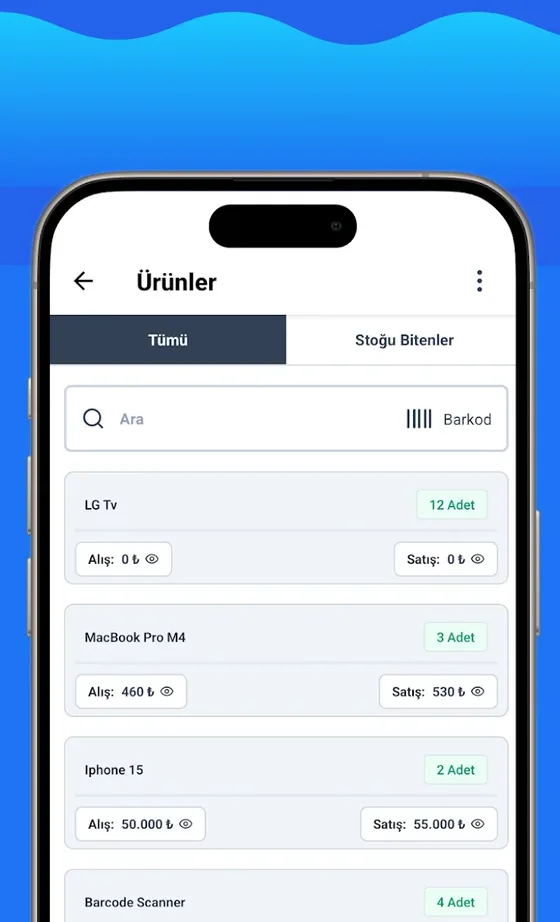
Product list, stock quantity and barcode search
Financial status: customer and supplier balances
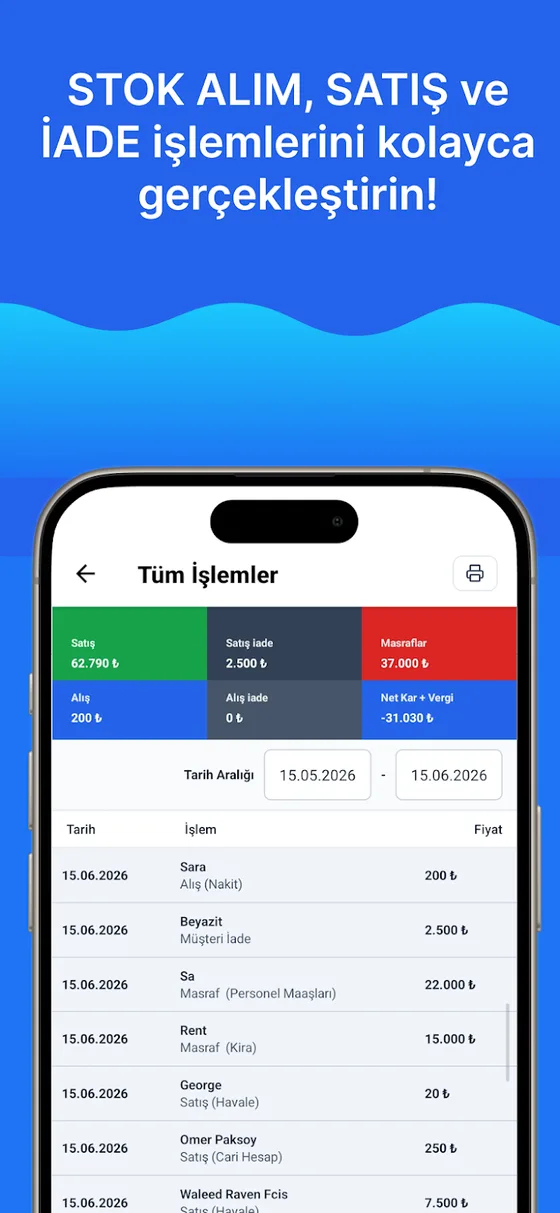
All transactions and date-range report

Offline version

The same tasks, without internet.

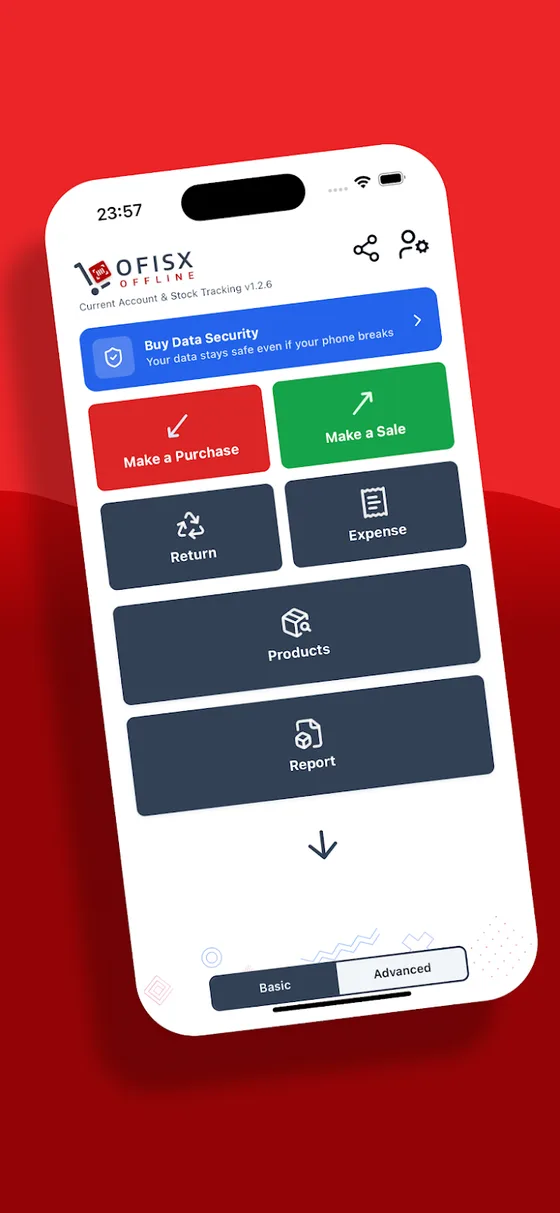
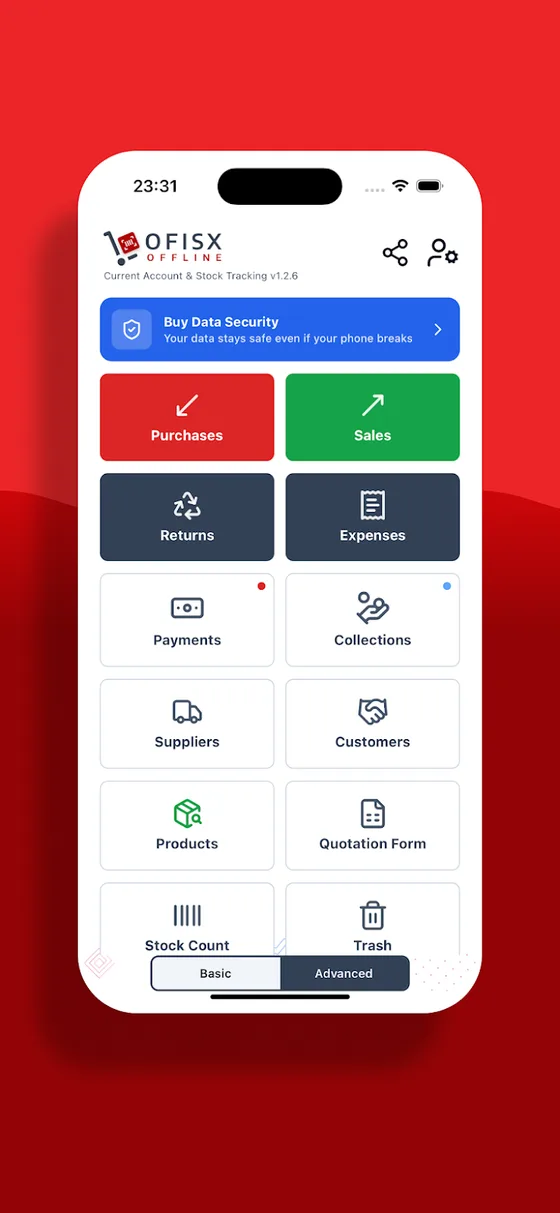
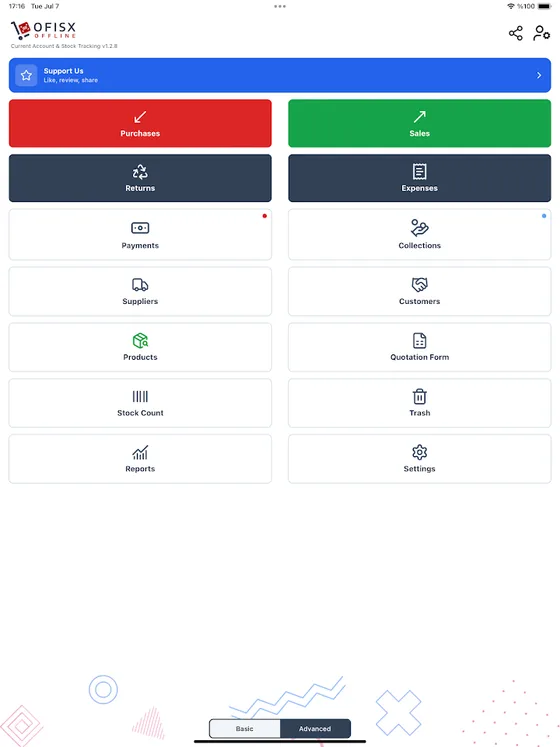
Offline home screen: purchases, sales, returns, expenses
Products, suppliers and customers
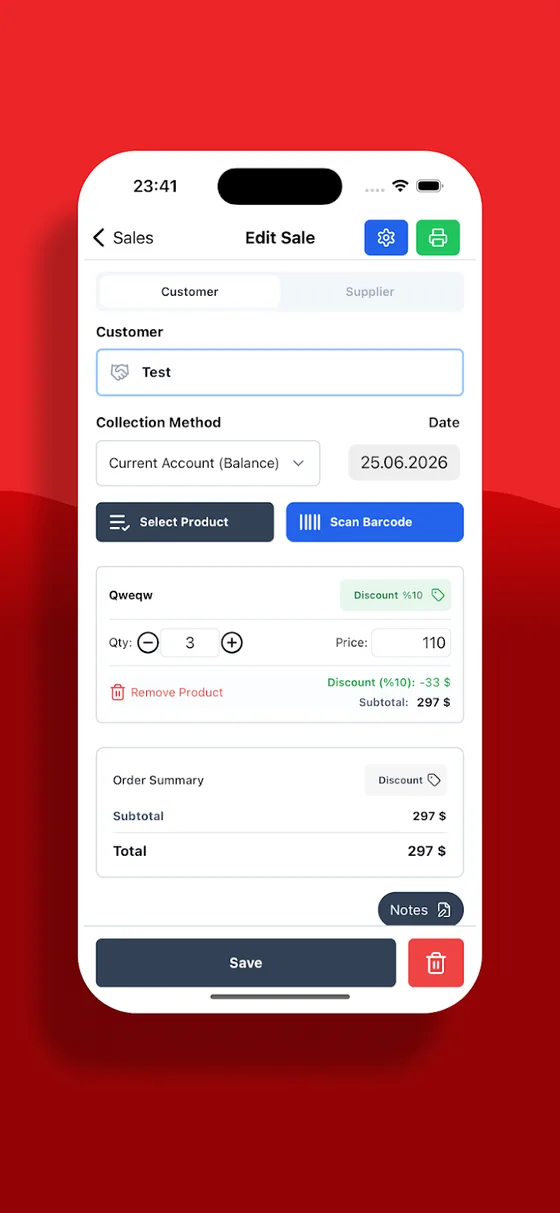
Editing a sale and choosing products by barcode
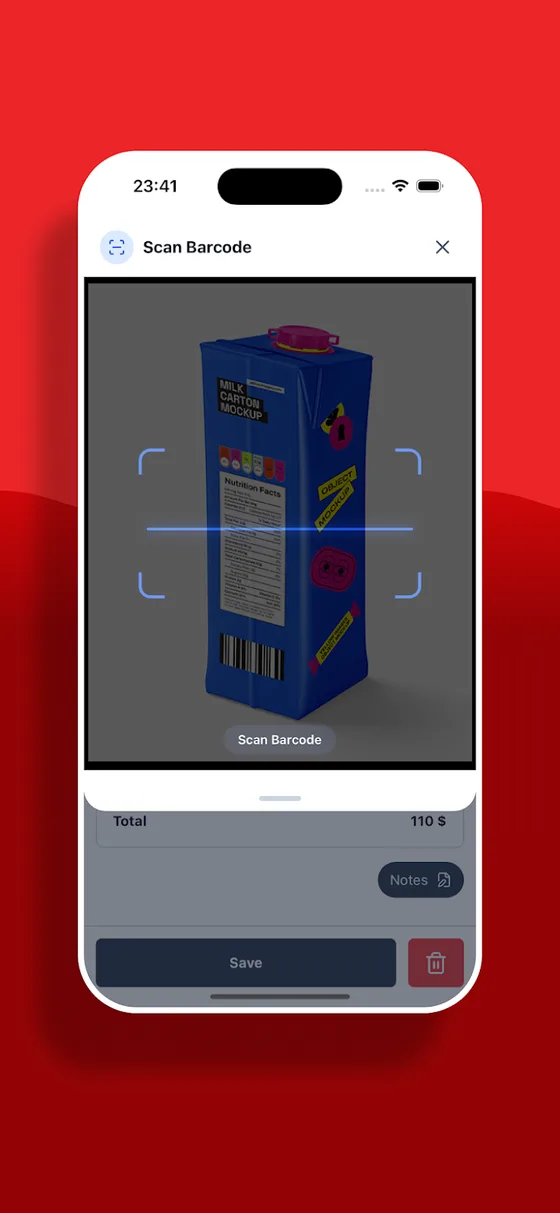
Scanning a barcode with the camera
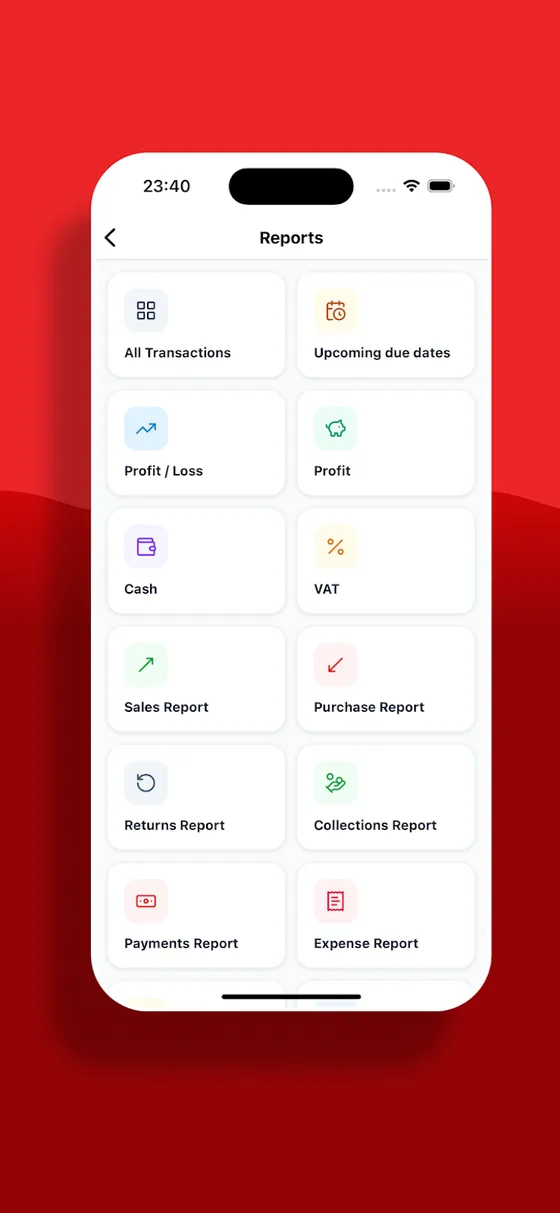
Reports menu: profit, cash, VAT, counting
Tablet view
Tablet view

How it works in two minutes

Ofisx’s own demo video.

Everything you need for inventory management

One program instead of separate Excel files, notebooks and WhatsApp messages.

Product and stock card

Keep each product's current quantity, purchase and sale price, VAT rate and barcode on a single card. Product images and multiple barcodes are included in the Premium plan.

Barcode entry and exit

Scan the barcode with the phone's camera so goods receipt, counting and sales are processed in seconds. Adding more than one barcode to a product is included in the Premium plan.

Low-stock alert

Set a minimum level for each product and get an automatic notification when stock falls below it. Don't miss sales, and don't overbuy either.

Inventory counting

Count from your phone: the system quantity and the counted quantity side by side, with the difference and the loss amount calculated instantly.

Profit, VAT and cash report

How much does each product earn, what is in the till at month end? Profit-loss, turnover, VAT and best-selling product reports are ready.

Customer accounts and customer credit

Customer and supplier balances, collection and payment records, due-date tracking — in the same program as stock.

Quotes and expenses

Prepare quotes for customers and record your business expenses; both are reflected in the profit calculation.

Excel import / export

Upload your existing product list from an Excel file in one go, and export reports as Excel.

Safe in the cloud

Your data is in the cloud; your account stays even if you change phones. Work with the same account from the web, iPhone and Android.

Set up in three steps

Enter your first product in 5 minutes and start using it the same day.

  1. Create your account

    Sign up for free on the web or download the app. No installation, server or license; no card details are requested either — we spelled out exactly what the free version covers.

  2. Upload your products

    Import your Excel list, or scan barcodes and add products one by one. Write the shelf location into the product code or category.

  3. Record the movements

    Goods receipt, sales, returns and stock counts. Stock, customer accounts and reports update by themselves.

If you are setting up a warehouse from scratch, we cover all the steps in the guide section: for the big picture, what is warehouse management and how is it done; for setup, how to track warehouse stock; for the product records in the first step, what is a stock card and how to create one and, when assigning codes to products, how to assign stock codes; when receiving goods from a supplier, how to do goods receipt; so that older goods leave the shelf first, what is FIFO and how to apply it on the shelf; for the document that travels with goods sent to a customer, what is a delivery note (sevk irsaliyesi) and who issues it; for stock count day, how to do a warehouse stock count; for setting up the shelf location mentioned in the second step above, how to build a shelf addressing system; for barcode scanning in the same step, how to track stock with barcodes; for the question “when should I place an order,” what is the critical stock level and for the question “how much stock am I carrying,” how to calculate stock turnover; for the whole decision of “how much stock should I hold of each product,” what is inventory management; for products that have been sitting on the shelf for months, what is dead stock and how to clear it; and for goods that are broken, spoiled or past their expiry date, what is shrinkage (fire) and how to keep a shrinkage record.

Excel or software?

Excel is fine for getting started. As your warehouse grows, you will see the difference here:

TopicExcel fileWarehouse management software
Barcode stock in/outYou type it by handSeconds, with the camera
Critical stockIf you notice itAutomatic notification
Product searchWith Ctrl+FInstantly by barcode or name
Several people at onceFile conflictsSimultaneous, with permissions
Stock countPrint it out and fill it in by handBy phone, differences calculated automatically
Customer accounts and collectionsA separate ledgerIn the same place as stock
Profit and VAT reportYou build the formulasReady-made

If you want to start with Excel, our free templates are ready: stock tracking, warehouse count. We compared Ofisx side by side with Paraşüt, Logo İşbaşı, Bizim Hesap, Zoho Inventory and Sortly on phone use, free use, e-invoicing (e-Fatura, Turkey’s electronic invoice system) and offline operation: best inventory management software and apps (2026).

Wherever you work

The same account; on the computer, in the warehouse and in the field.

Web version

Sign in from a computer with a browser, no installation. Warehouse, customer accounts and all reports are here.

Open web.ofisx.com

Android

Work in the warehouse with your phone: scan barcodes, count stock, receive goods.

Download from Google Play

iPhone

Same account, same data. Works on iPhone and iPad.

Download from the App Store

Frequently asked questions

Is the warehouse management software free?

You can install the app from the store for free, and sign up for the web version for free without entering card details. Barcode stock in/out, critical stock, stock counts, customer accounts and reports are available in the free account; paid plans come into play as your transaction volume grows. Full breakdown: what the free warehouse inventory software covers.

How many products can I track?

There is no limit on the number of products; you can define a price, VAT and barcode for each product. Adding multiple barcodes to the same product and uploading product images are included in the Premium plan.

Does it work without internet?

The online version is connected to the cloud. If you will work in warehouses without internet, use the offline version: data is kept on the device and backed up with Google Drive or iCloud.

Do I need to buy a barcode scanner?

No. Your phone’s camera reads barcodes. For heavy goods-receipt days you can also use a USB/Bluetooth scanner.

Can I import my existing Excel list?

Yes. You can import your product and customer lists from an Excel file; you don’t have to enter them from scratch. You can download the ready-made template from stokexcel.com.

Do I need accounting knowledge?

No. The screens are written in everyday business language: goods in, sales, collections, stock counts. Setup takes minutes.

Can I create separate accounts for my employees?

Yes, multiple users are supported: who sold what and who collected what is reported per employee. Employee accounts are included in the Premium plan; if you work alone, the free account is enough.

What people who found this page were searching for: barcode warehouse inventory softwarewarehouse management softwarewarehouse inventory management softwarewarehouse inventory softwarefree warehouse inventory softwareinventory warehouse software

Get your inventory in order this week

Open a free account, upload your products — do your first stock count by phone.