
Mobile app and web version

The warehouse tracking software works in three places: in a browser on a computer (no installation), on an Android phone and on an iPhone. In the online version all three share the same account and the same data; for warehouses without internet there is also an offline version.

Two versions: online and offline

Ofisx Inventory Management icon

Ofisx Inventory Management

Cloud-based · web, Android and iPhone

Combines stock, customer accounts and pre-accounting in one panel. You work with the same account from phone, tablet and web; data is kept in the cloud.

  • Unlimited products; price, VAT and barcode (multiple barcodes and product images are Premium)
  • Low-stock alerts and stock counting
  • Receipt/invoice as PDF or on a 58/80 mm thermal printer
  • Customer accounts, customer credit, collections and due-date tracking
  • Profit-loss, turnover, VAT and cash reports
  • Excel import/export (multiple users and e-catalog are Premium)

Inventory & Account Ledger icon

Inventory & Account Ledger

100% offline · Android and iPhone

Requires no internet. Your data stays on your device and is backed up with Google Drive or iCloud. Construction site, warehouse basement, market stall — it works anywhere there is no connection.

  • Fully works without internet, data on the device
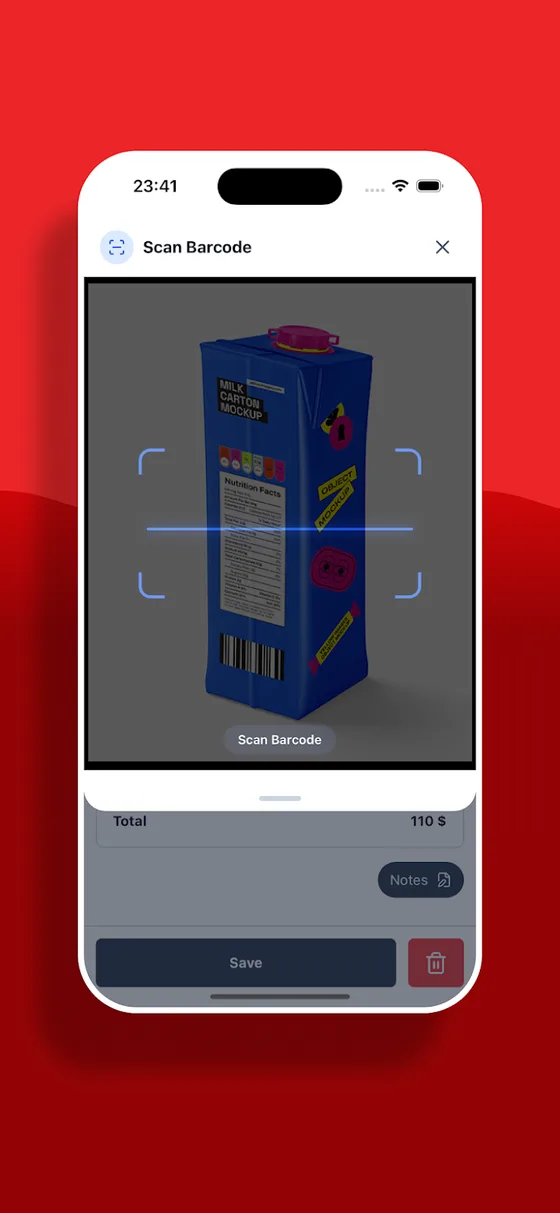
  • Selling, buying and returns by barcode
  • Low-stock alerts and stock counting
  • Customer accounts, collections and payment tracking
  • Profit, VAT, cash and due-date reports
  • Excel import/export · Drive/iCloud backup · 140+ currencies

Screens from the online version

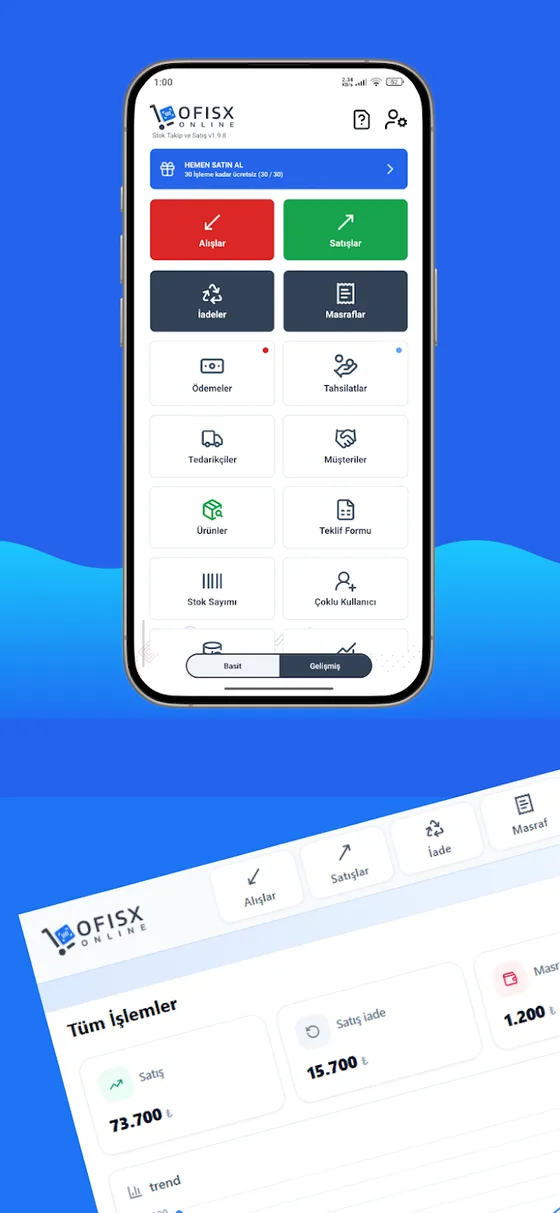
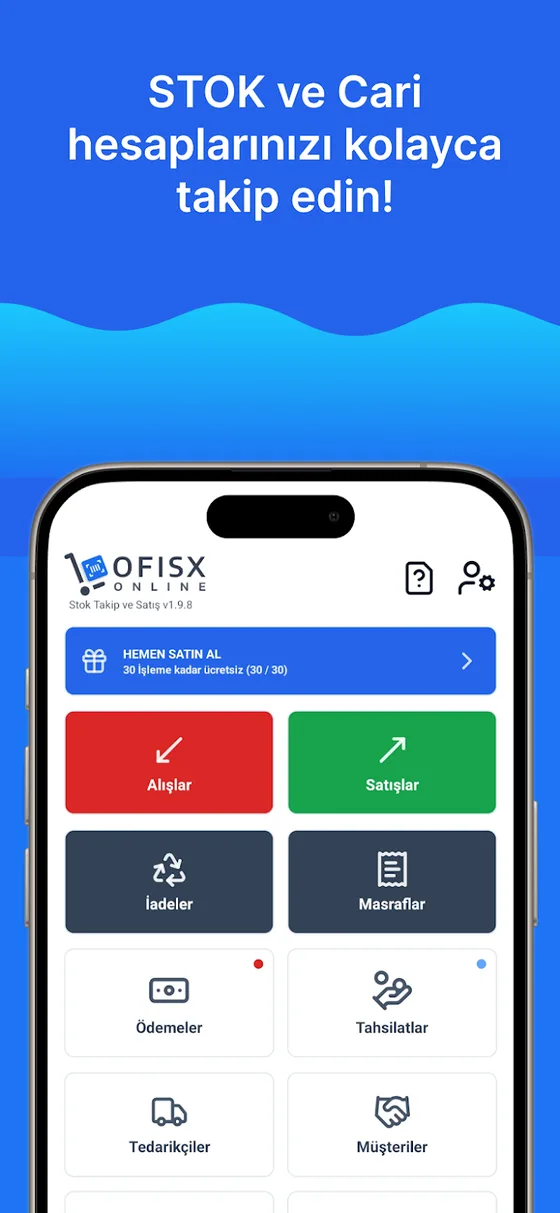
Home screen: purchases, sales, returns and expenses in one tap
Quick barcode sale and stock deduction
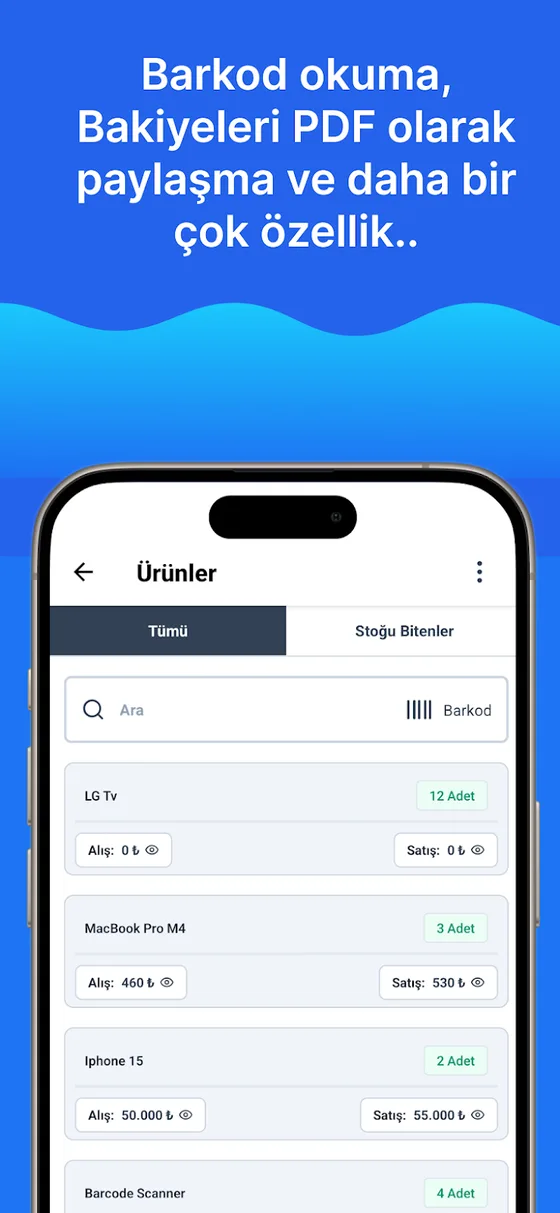
Product list, stock quantity and barcode search
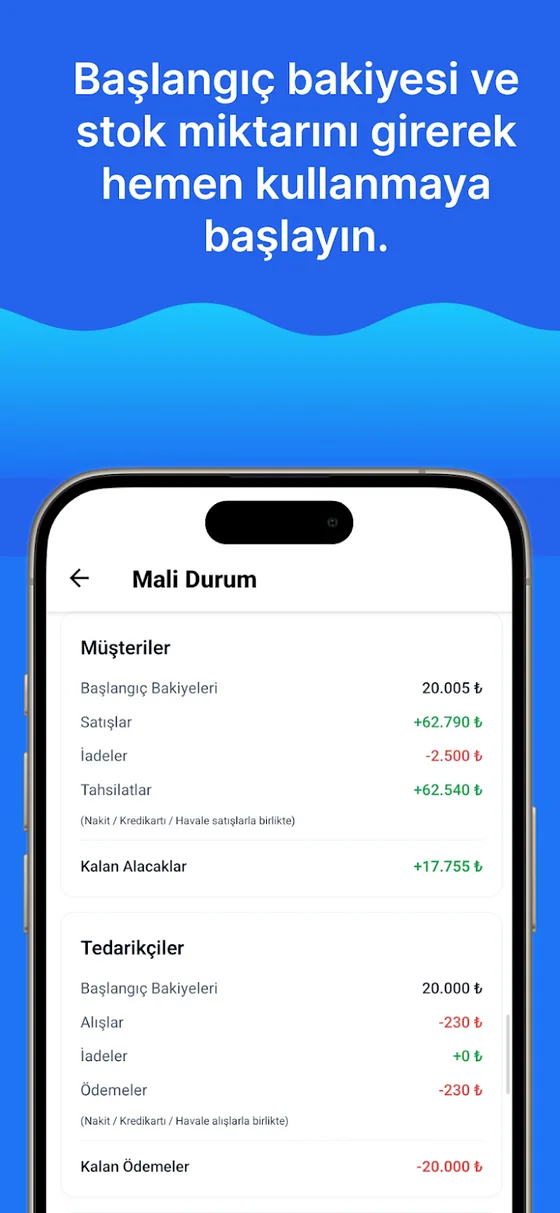
Financial status: customer and supplier balances
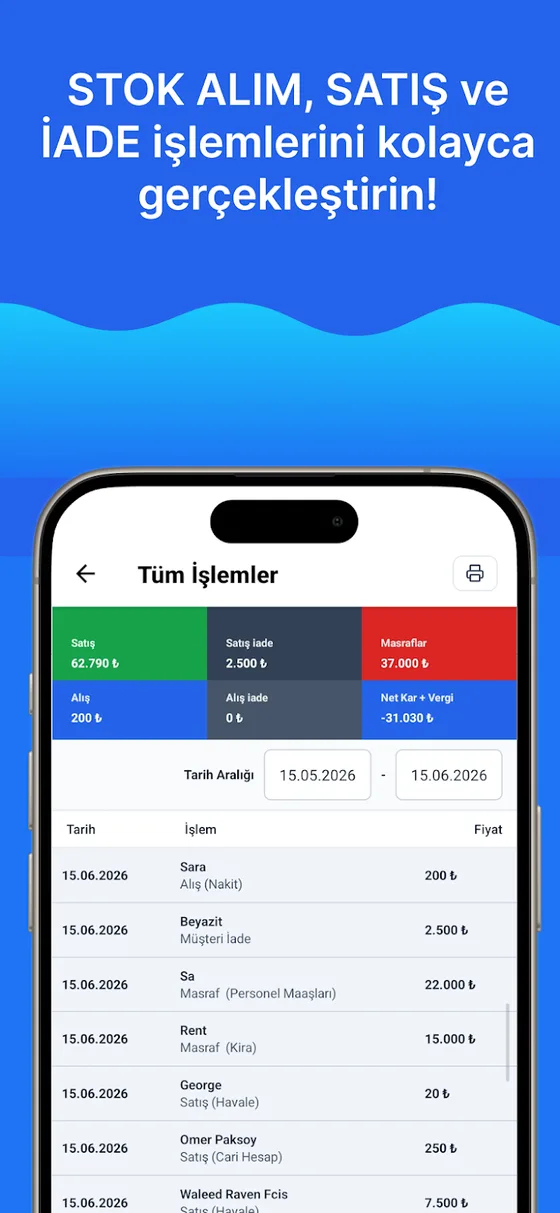
All transactions and date-range report

Screens from the offline version

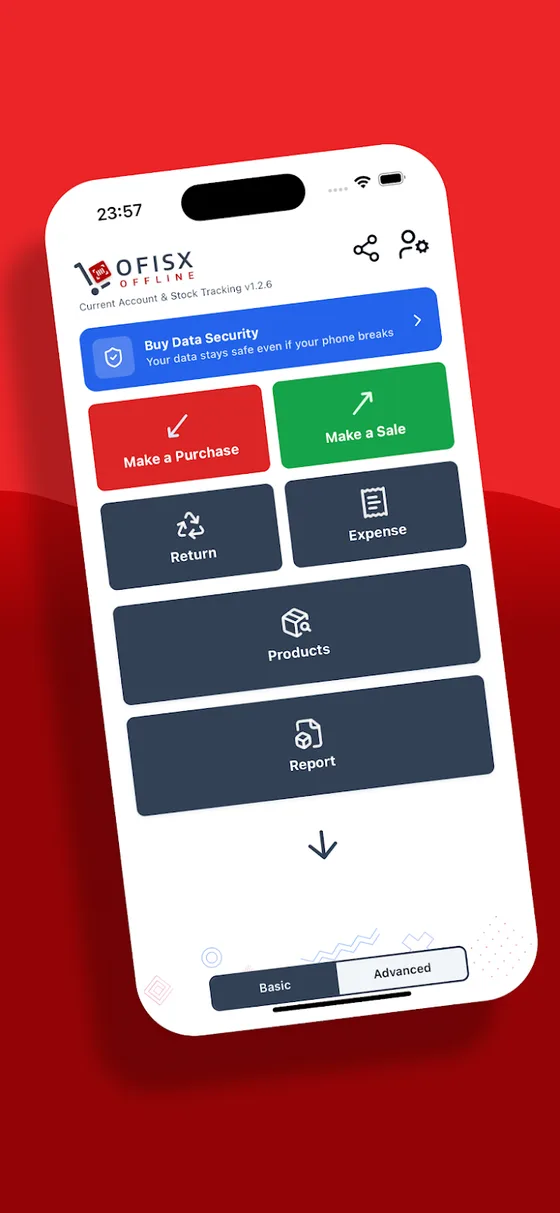
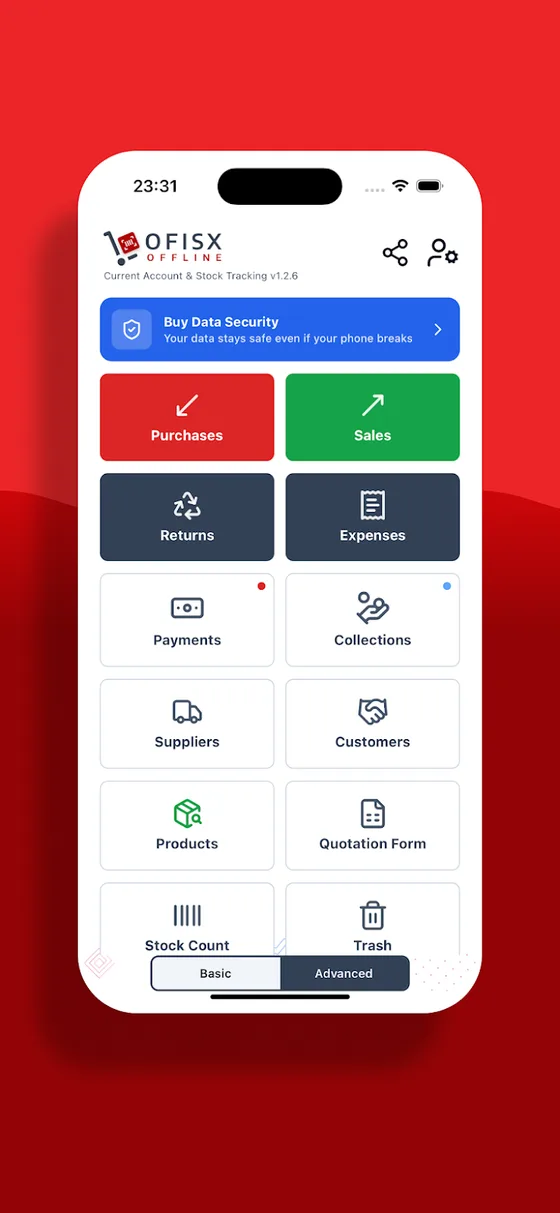
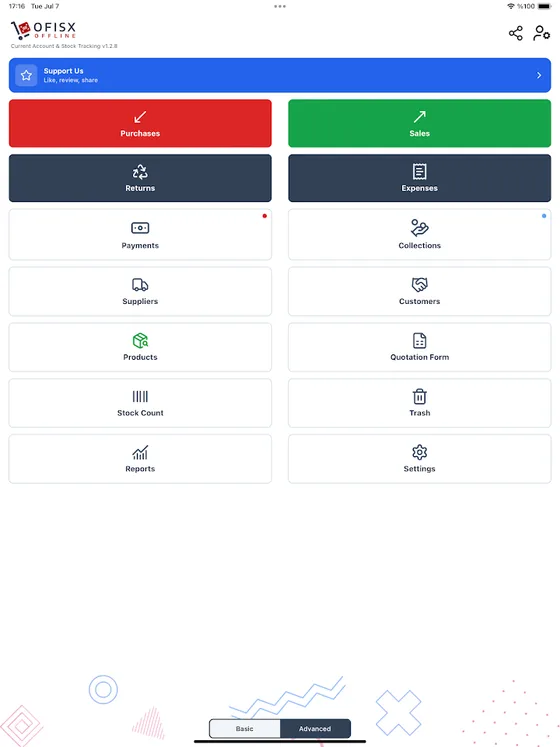
Offline home screen: purchases, sales, returns, expenses
Products, suppliers and customers
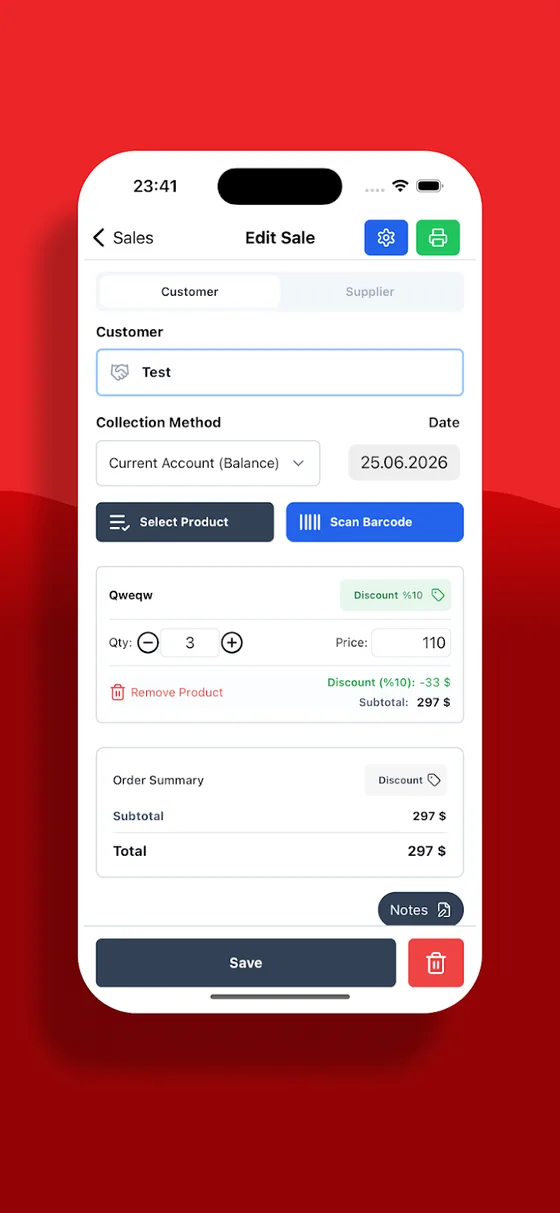
Editing a sale and choosing products by barcode
Scanning a barcode with the camera
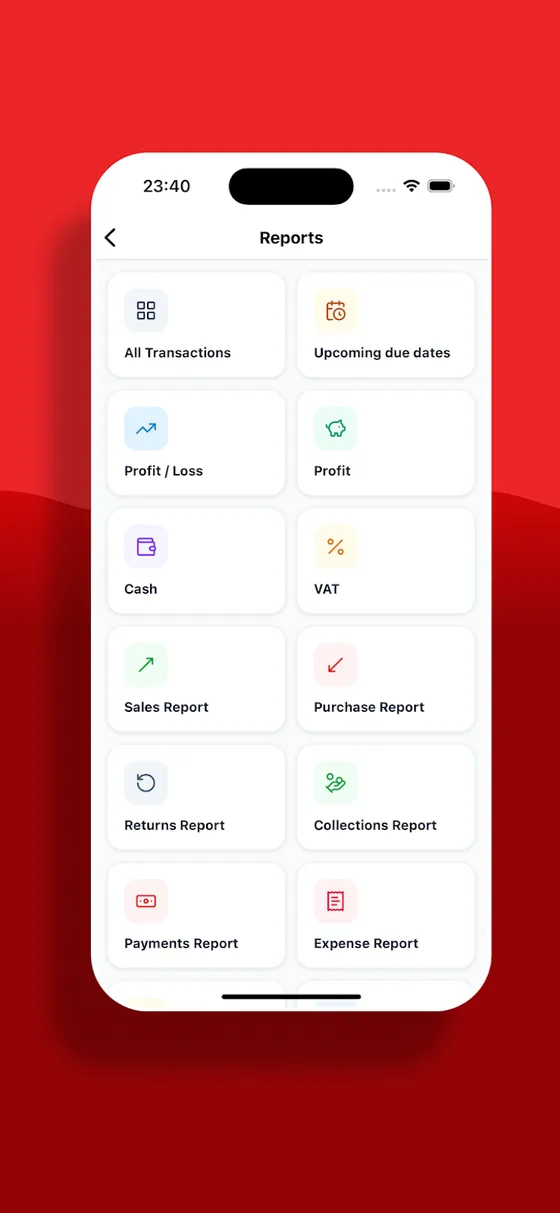
Reports menu: profit, cash, VAT, counting
Tablet view
Tablet view

Web version

Sign in from a computer with a browser, no installation. Warehouse, customer accounts and all reports are here.

Open web.ofisx.com

Android

Work in the warehouse with your phone: scan barcodes, count stock, receive goods.

Download from Google Play

iPhone

Same account, same data. Works on iPhone and iPad.

Download from the App Store

Offline version

Basement, cold storage, construction site — work where there is no internet. Data stays on the device and is backed up to Google Drive or iCloud. Multi-user support and the web panel are not in this version.

Intro video

See how the software works in two minutes.

Frequently asked questions

Which version should I choose?

If several people will access the same data or you will also work from a computer, choose the online version. If you will work on a single device in a warehouse without internet, choose the offline version.

Will I see the same data on my phone and computer?

In the online version, yes: web, Android and iPhone work in sync on the same account.

Can I use it without downloading the app?

Yes, you can sign in and use it from a browser at web.ofisx.com.