
How is goods receiving done?
Goods receiving means accepting delivery of goods from a supplier after counting and checking them against the order and the delivery note (irsaliye, the Turkish shipping document), recording any missing, surplus and damaged items in a signed report, and posting the accepted quantity to stock the same day. Done properly, goods receiving has seven steps: preparation, document check, outer packaging check, item-by-item count, quality and date check, discrepancy report, and putting away and recording.
The accuracy of warehouse stock is decided at the moment goods come through the door. A carton that goes into stock uncounted because the delivery note says “50” is a shortage you won't notice until count day. This guide covers the steps of goods receiving in a warehouse or a grocery store, a checklist, what to do in different situations, and the goods receiving report.
What is goods receiving?
Goods receiving is the first of the four warehouse management processes: receiving, putaway, picking and shipping, and counting. The purpose of receiving is to see, before you accept delivery, whether what the supplier says they sent and what actually arrived are the same. A discrepancy missed here is not corrected in any later step; it only surfaces at the count, and by then it is hard to find the cause. We covered all four processes in the what is warehouse management guide.
This guide covers commercial goods receiving in a business's own warehouses. Inspection and acceptance procedures in public procurement are subject to separate rules and are not covered here.
How to do goods receiving: seven steps
1. Prepare while waiting for the shipment
Know in advance what is coming from which supplier: keep the item and quantity list of your order ready at the receiving desk. Set aside a receiving area, separate from the sales and shipping areas, where incoming goods wait; cartons whose receiving isn't finished should not get mixed into the shelves or the sales floor.
2. Compare the document with the order
When the vehicle arrives, the first thing to check is the document, not the goods. Check that the buyer's name, the date and the items on the delivery note match your order. If there is an item you didn't order, or a document made out to another buyer, talk before unloading the goods.
3. Check the outer packaging with the driver present
See and photograph any dented, wet, torn or tape-opened carton while the driver is still there. Compare the number of cartons with the carton count on the delivery note. For products arriving by cold chain, check the product temperature. Outer damage noticed after the driver has left is very hard to prove.
4. Count item by item
The carton count is not enough; open the cartons and count the units inside. Counting by scanning products that have a barcode prevents the same product from being counted twice or not at all. Write the counted quantity next to the quantity on the delivery note — the number you counted, not an estimate.
5. Check quality and expiry date
Check that the product is the right one (model, color, weight), that it is undamaged, and check the expiry date. Make a separate note of any product that arrives with a shorter date than the ones on the shelf; this is both a return decision and a shelf-order decision.
6. Write the discrepancies in a report and have it signed
Write every missing, surplus, damaged or wrong item into the report with its quantity; have the report signed by the person delivering and the person receiving, and also add a short note on the delivery note. Notify the supplier in writing of the discrepancy the same day. A shortage that isn't reported often can't be recovered later.
7. Put away and record the same day
Put the accepted goods at their address; place new arrivals behind the old so the old goes out first — this shelf arrangement is called FIFO (first in, first out). Then post the receipt to the stock record the same day — the quantity you accepted, not the quantity on the delivery note. When the entry is postponed, every sale made that day is made against the wrong stock figure.
Goods receiving checklist
A short list you can hang at the receiving desk. If the answer to a question in any row is not “yes”, take the action on the right:
| Check | Question | If it doesn't match |
|---|---|---|
| Document | Are the buyer, date and items on the delivery note the same as the order? | Talk to the supplier before unloading the goods. |
| Carton count | Is the number of cartons that arrived the same as on the delivery note? | Write the missing carton in the report with the driver present. |
| Outer packaging | Are there any dented, wet or opened cartons? | Photograph them, show the driver and write it in the report. |
| Quantity | Is the quantity inside the carton the same as the quantity on the delivery note? | Write down the counted quantity and record the difference in the report. |
| Correct product | Are the model, color, weight and size the same as the order? | Set the wrong product aside; don't accept it, or set it aside for return. |
| Expiry date | Is the date long enough, and is it shorter than what's on the shelf? | Note the short-dated item; return it according to the rule agreed with the supplier. |
| Temperature | Did the cold-chain product arrive at the right temperature? | If not, don't accept it and write it in the report. |
What to do if goods arrive short, in surplus or damaged
| Situation | What to do |
|---|---|
| Goods short | Accept the quantity you counted, write the missing quantity in the report and notify the supplier the same day. Post only the quantity that arrived to stock; when the missing item is completed, it is posted as a separate receipt. |
| Goods in surplus | Set the surplus aside and ask the supplier: either it is returned, or it is turned into an additional order and its document corrected. Putting the surplus on sale before its document arrives leads to the records and the stock drifting apart later. |
| Damaged goods | Photograph the damage, write it in the report and separate it from the intact items. If it will be returned to the supplier, record it as a return; if it won't be returned, post it as a write-off for shrinkage. |
| Wrong product | A model, color or weight that isn't on the order is not accepted, or is set aside for return. A wrong product accepted with “it'll sell anyway” means the product you actually ordered stays short. |
| Goods without a document | Set goods that arrive without a document aside without taking them into the stock record, and ask the supplier for the document. Consult your accountant about which document is required. |
The part of damaged goods that isn't returned and stays with you is recorded as shrinkage; the fields a shrinkage record should have are in the what is shrinkage guide.
What should a goods receiving report contain?
A report is needed only when there is a discrepancy; if there is none, a signed receipt slip is the proof of receiving. The report contains the following:
- date and time, the supplier's name, the dispatch note or invoice number,
- the name of the person who brought the goods (driver or courier) and the vehicle's license plate,
- for each item with a discrepancy: product name and code, the quantity on the delivery note and the counted quantity,
- the type of discrepancy — short, surplus, damaged, wrong product, short-dated — and a brief description,
- a note that photographs were taken, if there is damage,
- the name and signature of the person delivering and the person receiving.
If you want a ready, printable form, the free warehouse receipt and issue slip Excel template can be used as a goods receiving form, with its slip number, document number, item table and signature fields.
Goods receiving with barcodes
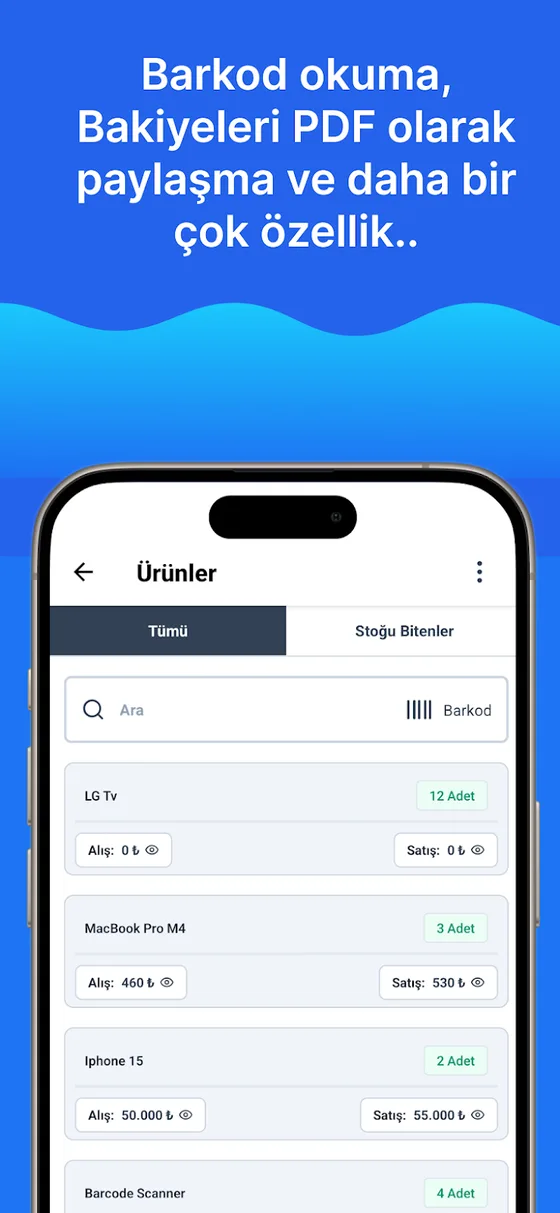
For a product with a barcode, the most reliable way to count is to scan it: each scan counts one unit, the same product isn't written on two lines, and the code stays the same even if the product name is typed differently. Give products without barcodes a unique code first; how to set up codes is in how to assign stock codes, and reader selection and labeling are in the barcode inventory tracking guide. How the accepted goods are put onto the shelf is covered in the shelf addressing system guide.
Goods receiving in Ofisx
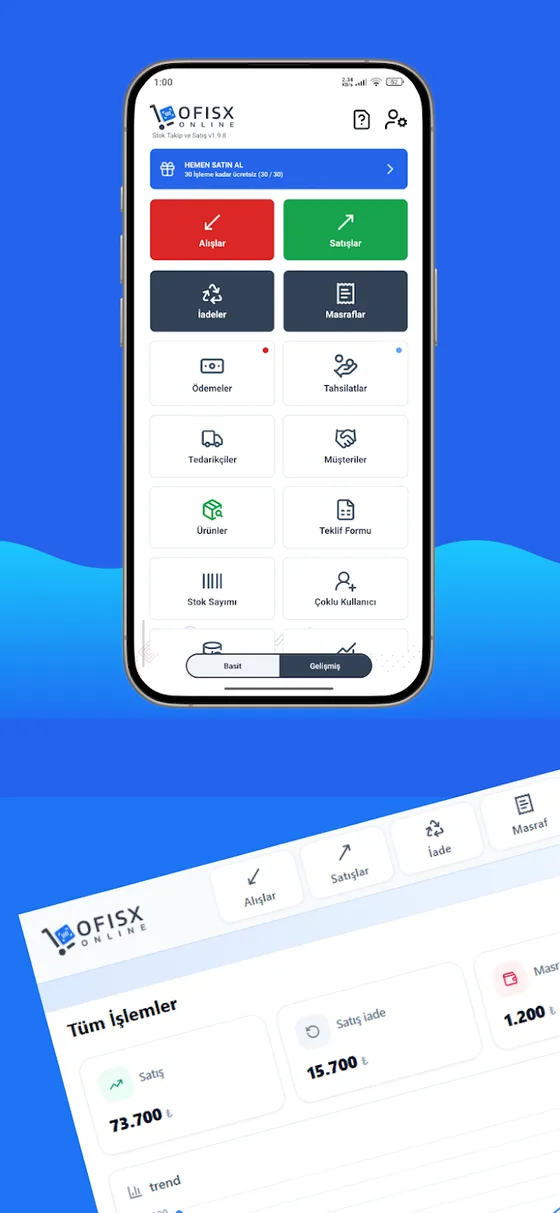
In Ofisx, the screen where goods receiving is recorded is the Purchase screen. You select the supplier and the date, add products by scanning barcodes or from the list, and enter the purchase price and payment type (cash, bank transfer or on credit); the moment you save, stock goes up and you can print the purchase receipt. You can write the description of a missing or damaged item in the purchase's notes field; the report itself is kept on paper or in the template above. Goods sent back to the supplier are processed as a Supplier Return and deducted from stock. The program's other screens are on the features page.
Frequently asked questions
What is goods receiving?
Goods receiving means accepting delivery of goods from a supplier after counting and checking them against the order and the delivery note, writing any discrepancies in a report, and posting the accepted quantity to stock. The stock record of every item entering the warehouse starts with this step.
What should you pay attention to in goods receiving?
Seven points: the document matching the order, the carton count, the outer packaging being undamaged, the quantity inside the cartons, the product being the right one, the expiry date, and the temperature for cold-chain products. The outer packaging and carton count should be checked before the driver leaves.
How do you write a goods receiving report?
The report states the date, supplier, delivery note number, the person who brought the vehicle, the name of each item with a discrepancy, the quantity on the delivery note and the counted quantity, the type of discrepancy (short, surplus, damaged, wrong product) and its description; the person delivering and the person receiving sign it. If there is no discrepancy, no separate report is needed; a signed receipt slip is enough.
How is goods receiving done in a grocery store?
With the same seven steps, plus three extra points of care: schedule receiving for an hour when the checkout isn't busy, receive cold-chain products first and put them in the cooler right away, and check the expiry date on every item. In a store, new arrivals are stacked behind the old; otherwise the old-dated product stays on the shelf and turns into shrinkage.
How do you report goods that arrived short?
The missing quantity is written in the report with the driver present, the report is signed by both parties and the supplier is notified in writing the same day (by e-mail or message, with a photo of the report). Only the quantity that arrived is posted to stock; when the shortfall is made up, a separate receipt is entered.
Who should do the goods receiving?
If possible, someone other than the person who placed the order. The person who placed the order knows what is coming and so is prone to overlook the count; a separate person counting catches the discrepancy. In a one-person business, do the receiving the moment the shipment arrives and in a single sitting; don't leave it for later.
How is goods receiving related to stocktake discrepancies?
A significant share of the discrepancies found in a stocktake starts at receiving: posting the quantity on the delivery note to stock without counting it, recording goods that arrived short as if they had arrived in full, or entering the receipt days later. Goods counted correctly at receiving stay the same as the record until count day; the stocktake itself is covered in the how to do a warehouse stocktake guide.
Last updated: 2026-10-06
Barcode purchases and returns in the app
Scan incoming goods; the quantity you accept is posted to stock instantly.


Record goods receipt the same day
Open a free account; scan incoming goods by barcode and record them as a purchase, and stock and supplier balance update together.